How to access your weekly homework
Your weekly homework lives in our online portal, inside a course named after your class, for example T3Y5 Homework (Term 3, Year 5). Do these eight steps once. After that, every week is just: sign in, open the course, start the quiz.
Open Google Classroom and join a class
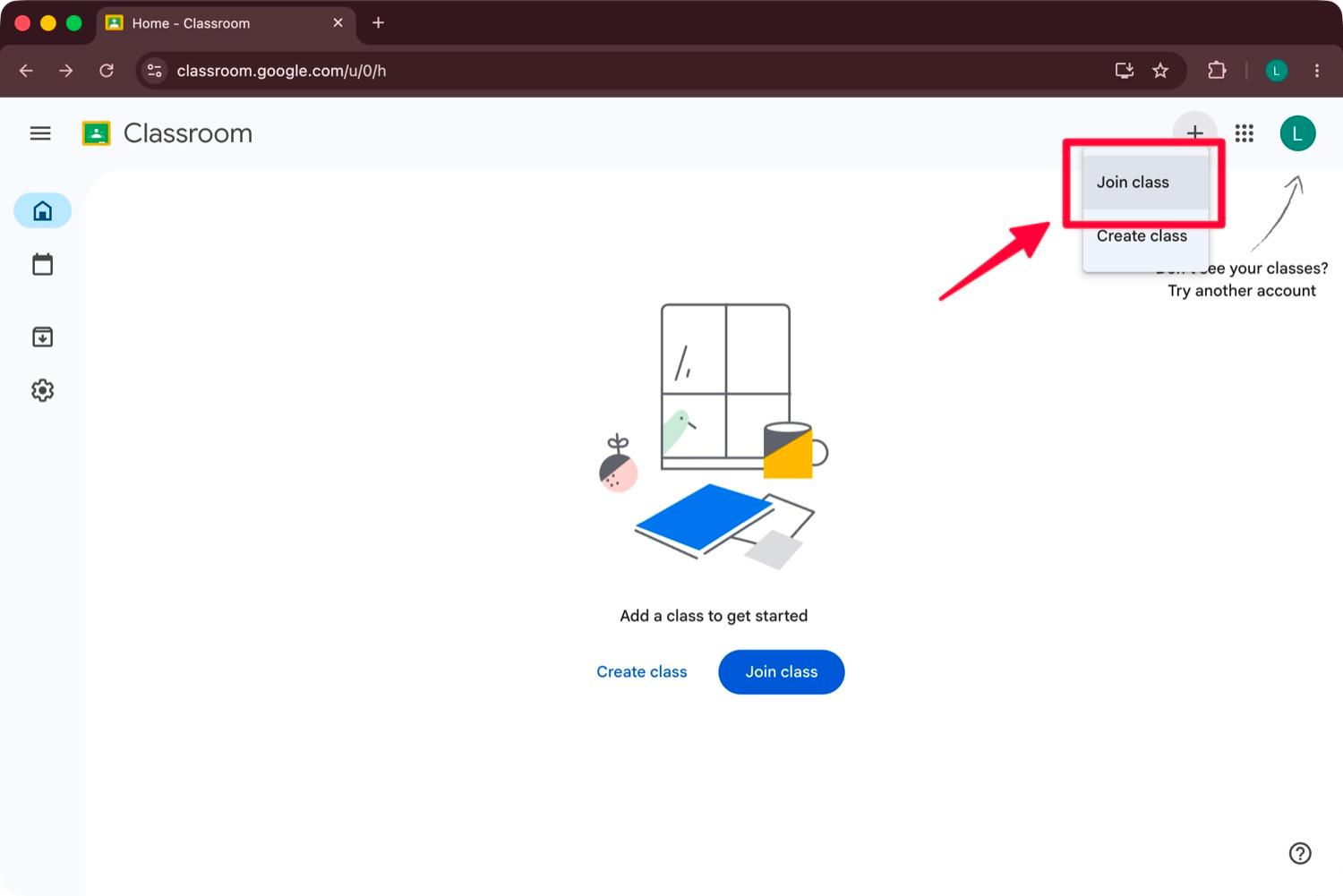
Go to Google Classroom, click the + at the top right, and choose Join class.
Enter your class code
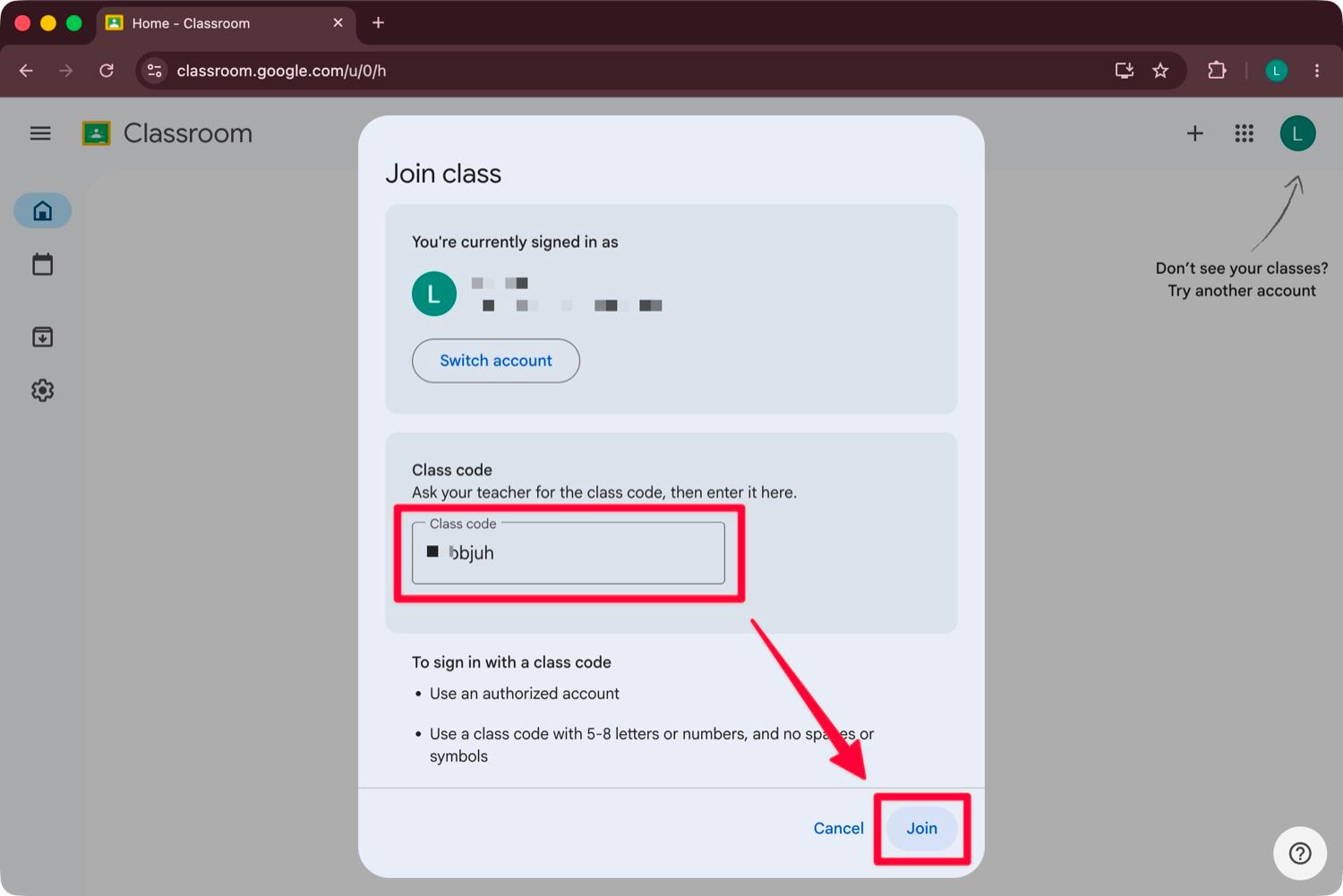
Type your class code into the Class code box and click Join.
Open the Writing College portal link
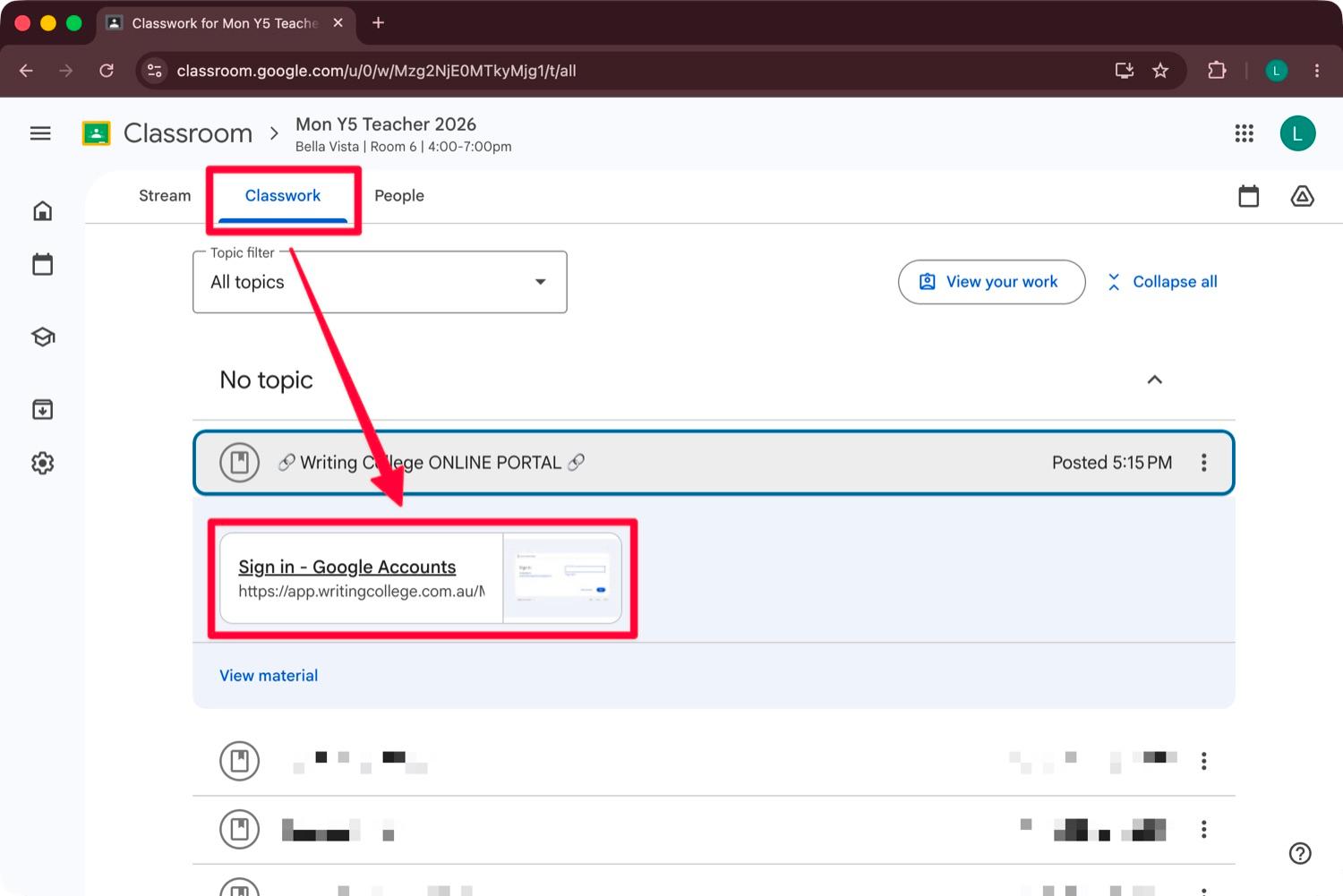
In your class, go to the Classwork tab and click the Writing College ONLINE PORTAL link pinned at the top. Or go straight to app.writingcollege.com.au.
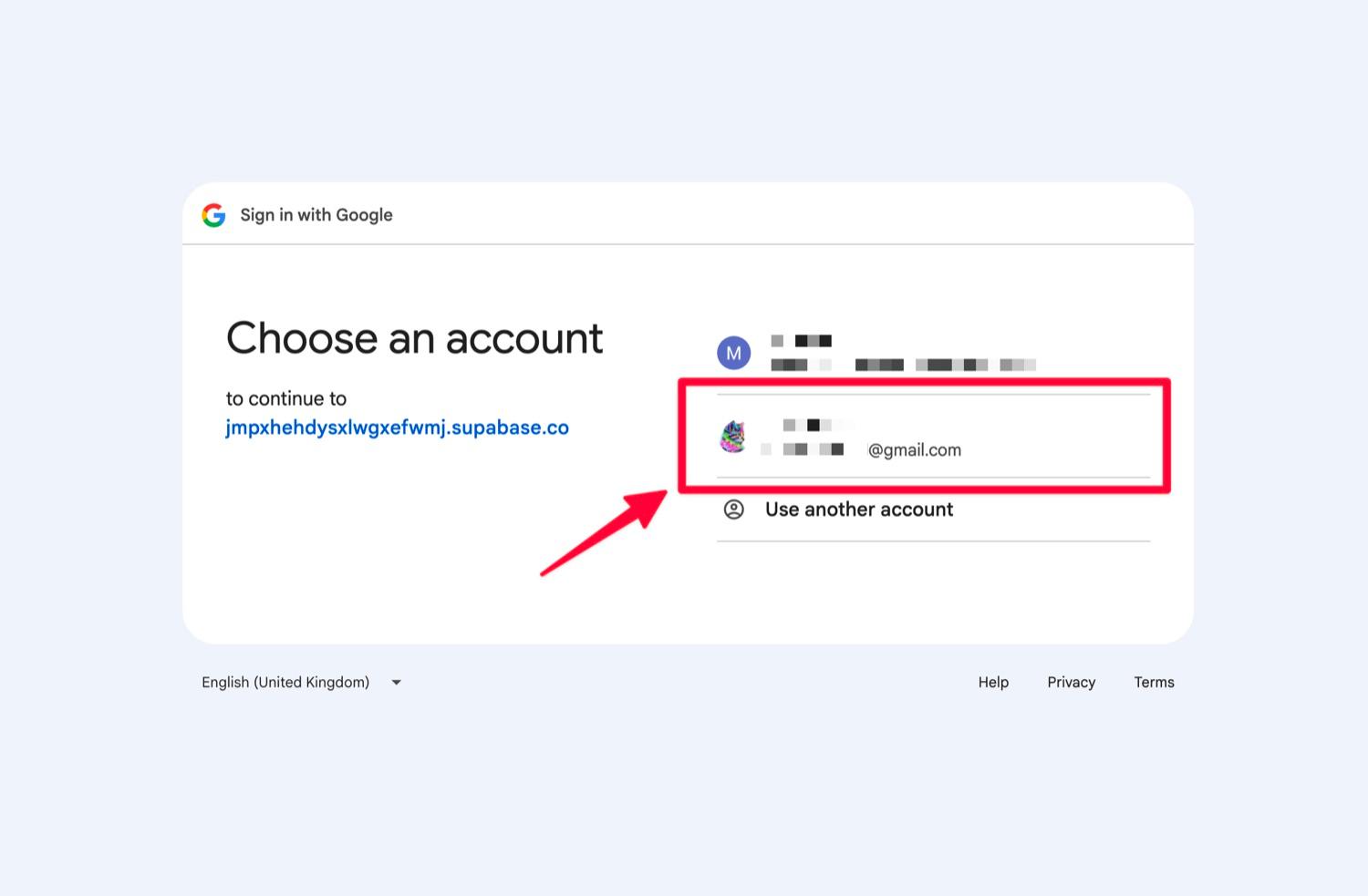
Sign in with Google
Choose the same Google account you used to join Google Classroom. A different account will not see your class.
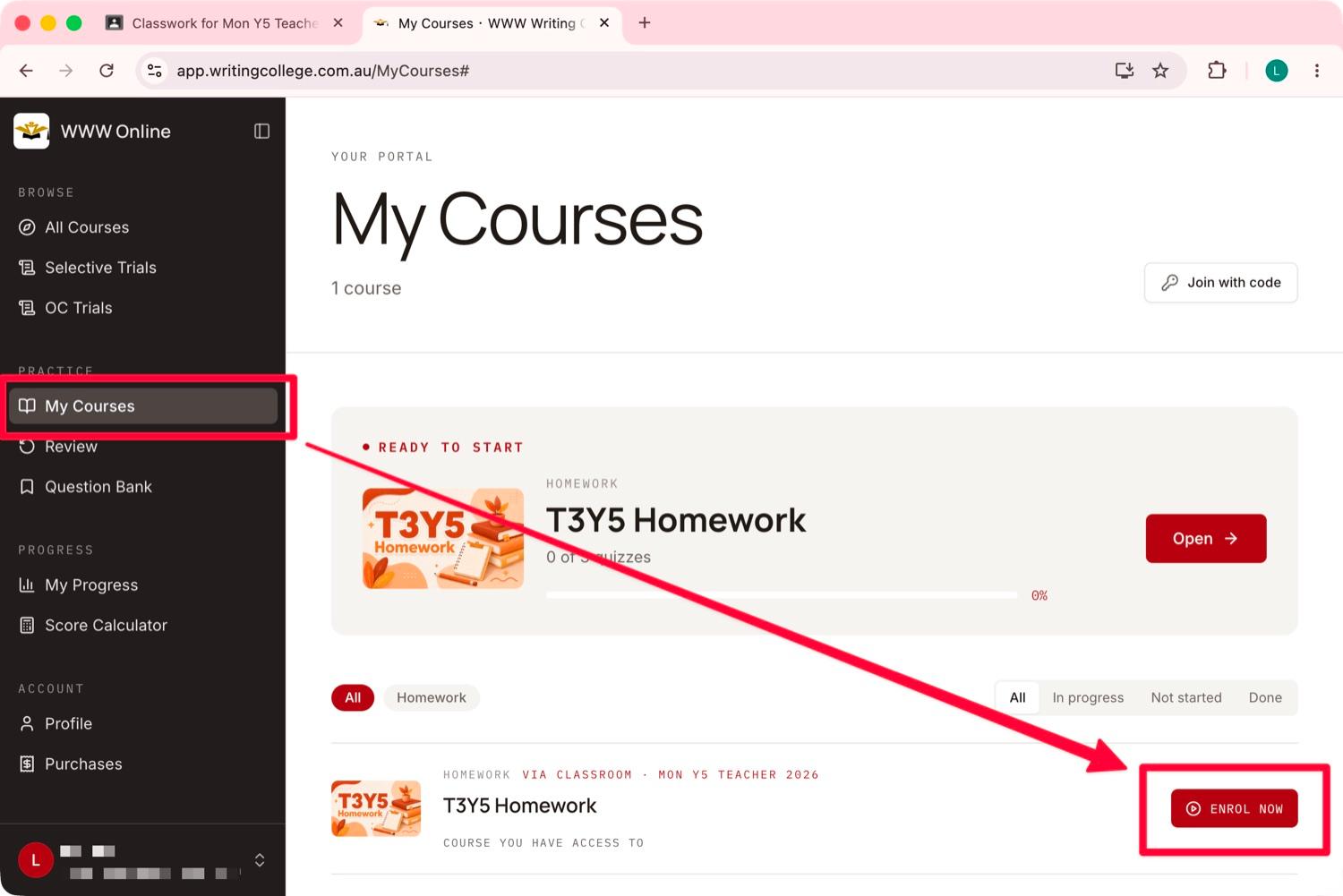
Enrol in your homework course
Open My Courses from the left menu, find your T3Y5 Homework course, and click Enrol now. Enrolment is automatic through Google Classroom, nothing to pay or enter.
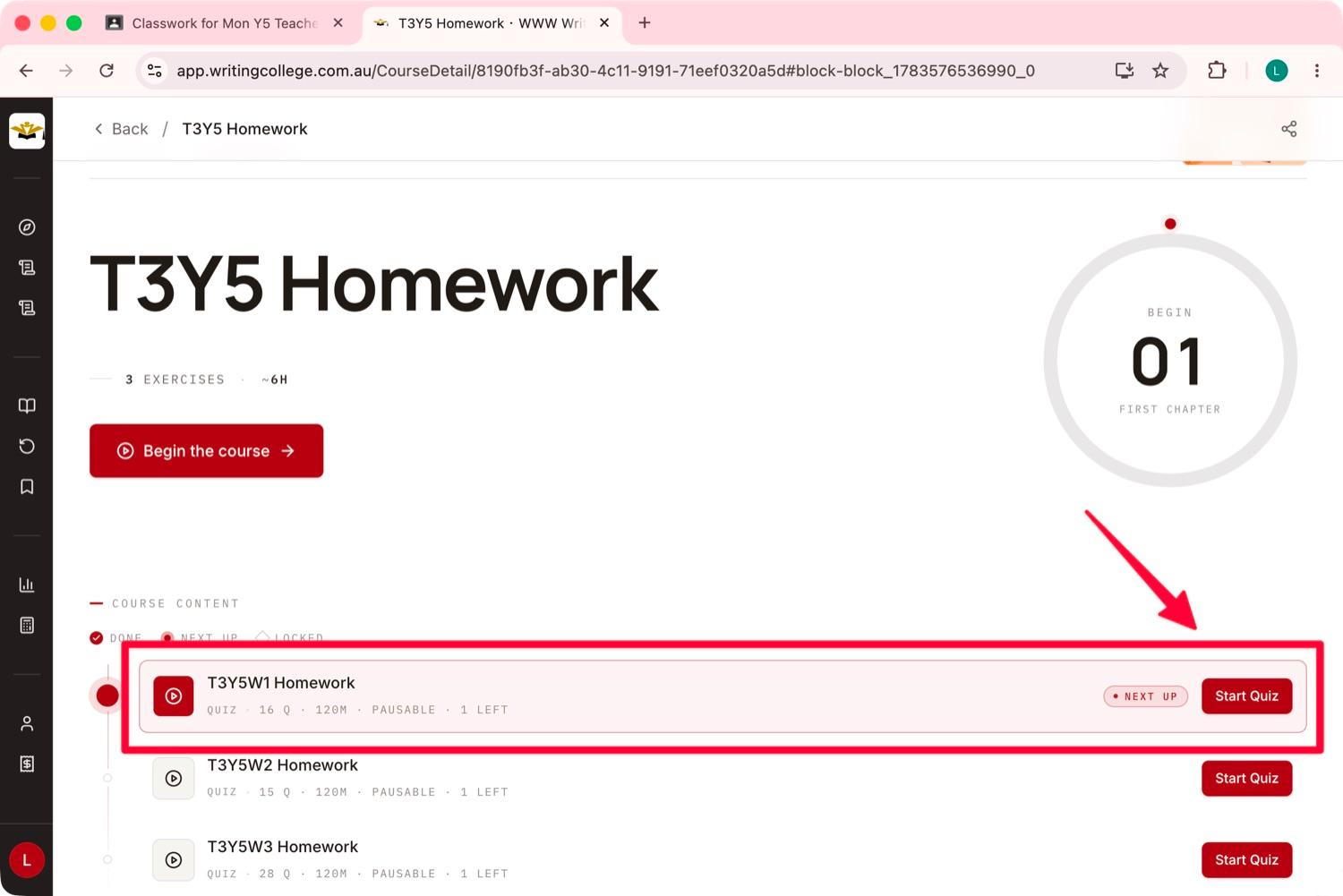
Start this week's quiz
Open the course, find this week's homework under Course Content (the one flagged Next up), and click Start Quiz. Quizzes are pausable, so you can save and come back before submitting.
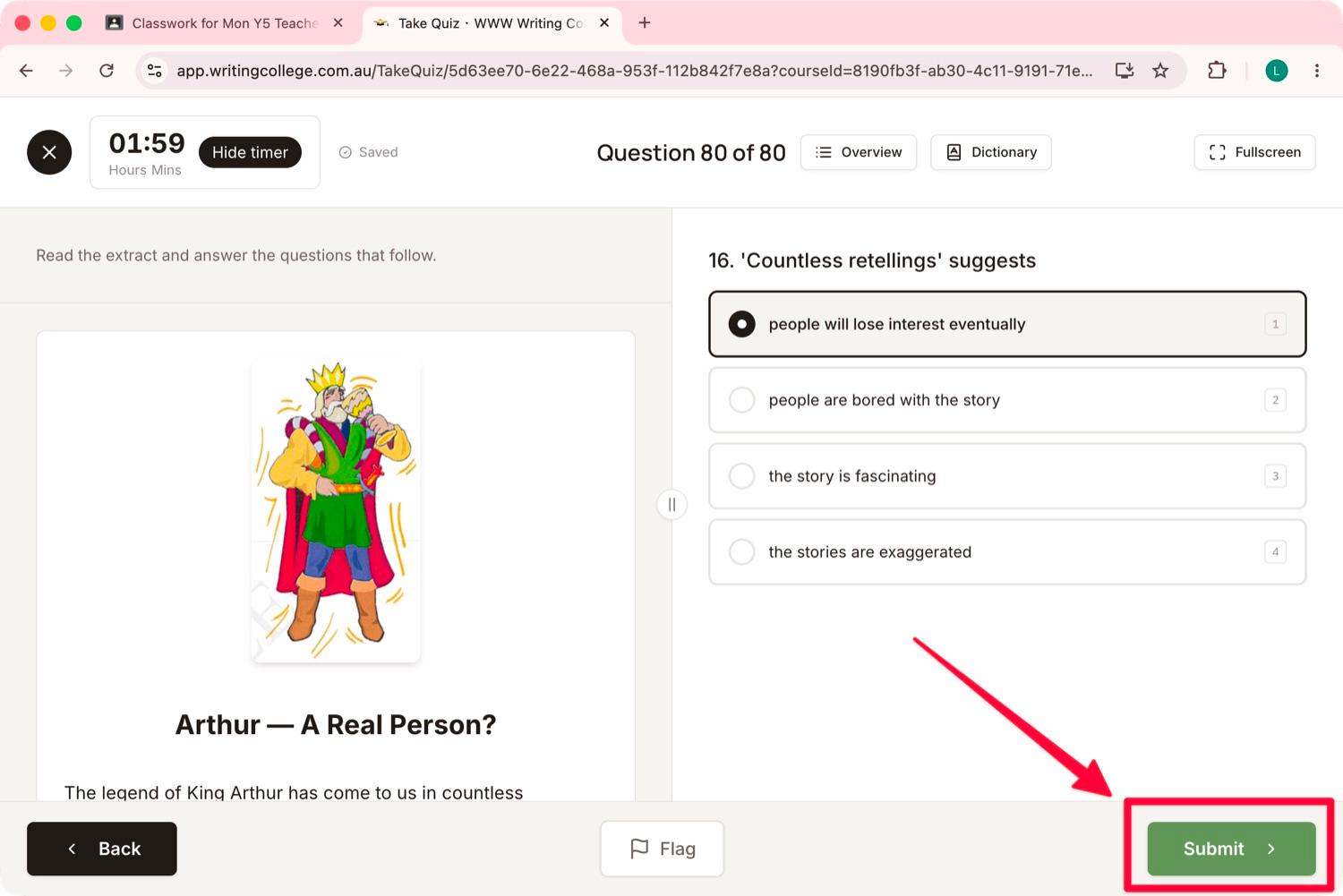
Answer the questions and submit
Work through the quiz, then click Submit. Everything is marked automatically on submission, including short-answer questions.
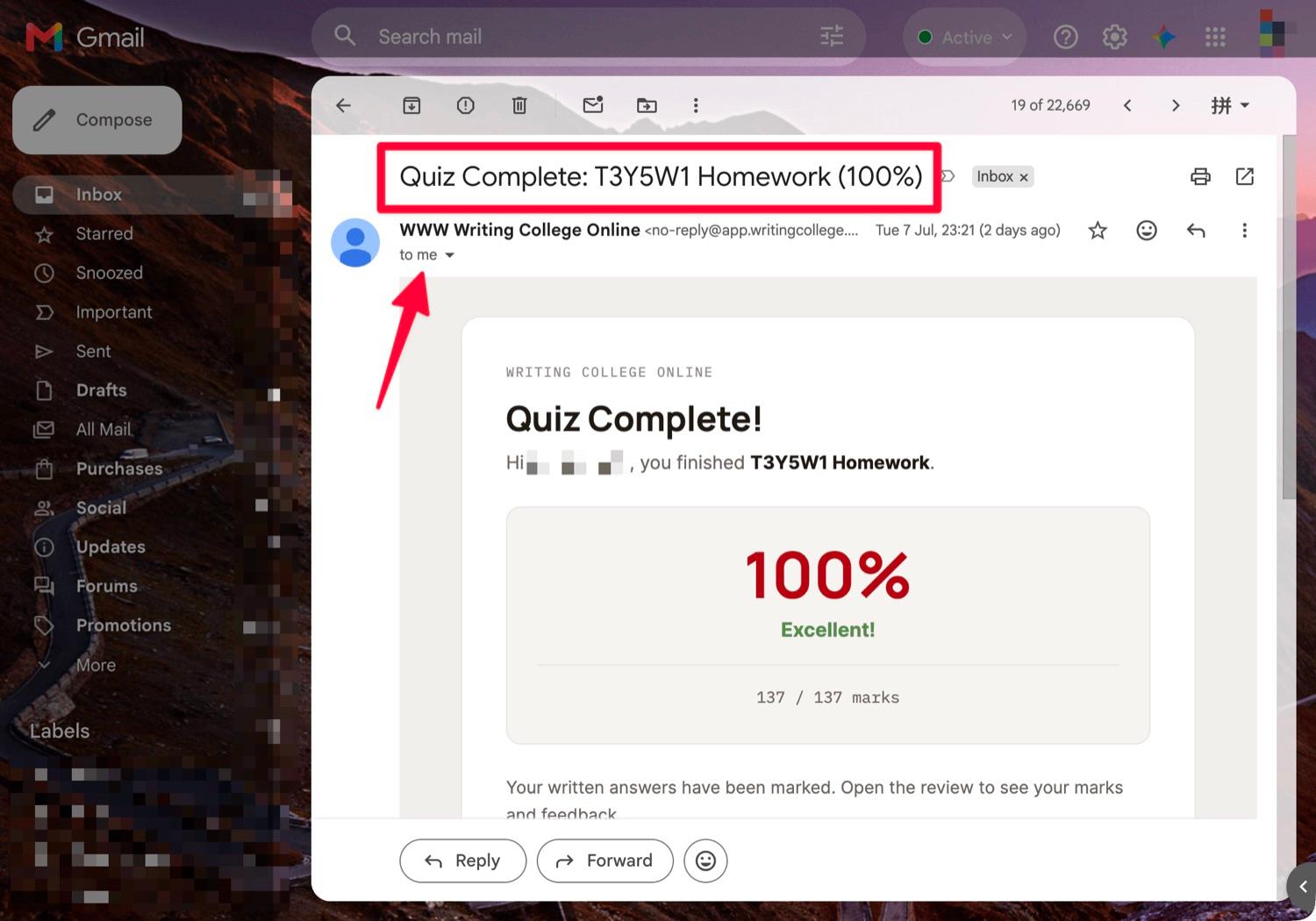
Get your score by email
A confirmation email with your score arrives straight away.